
How Automated Receiving Enhances Warehouse Master Data
SLAM

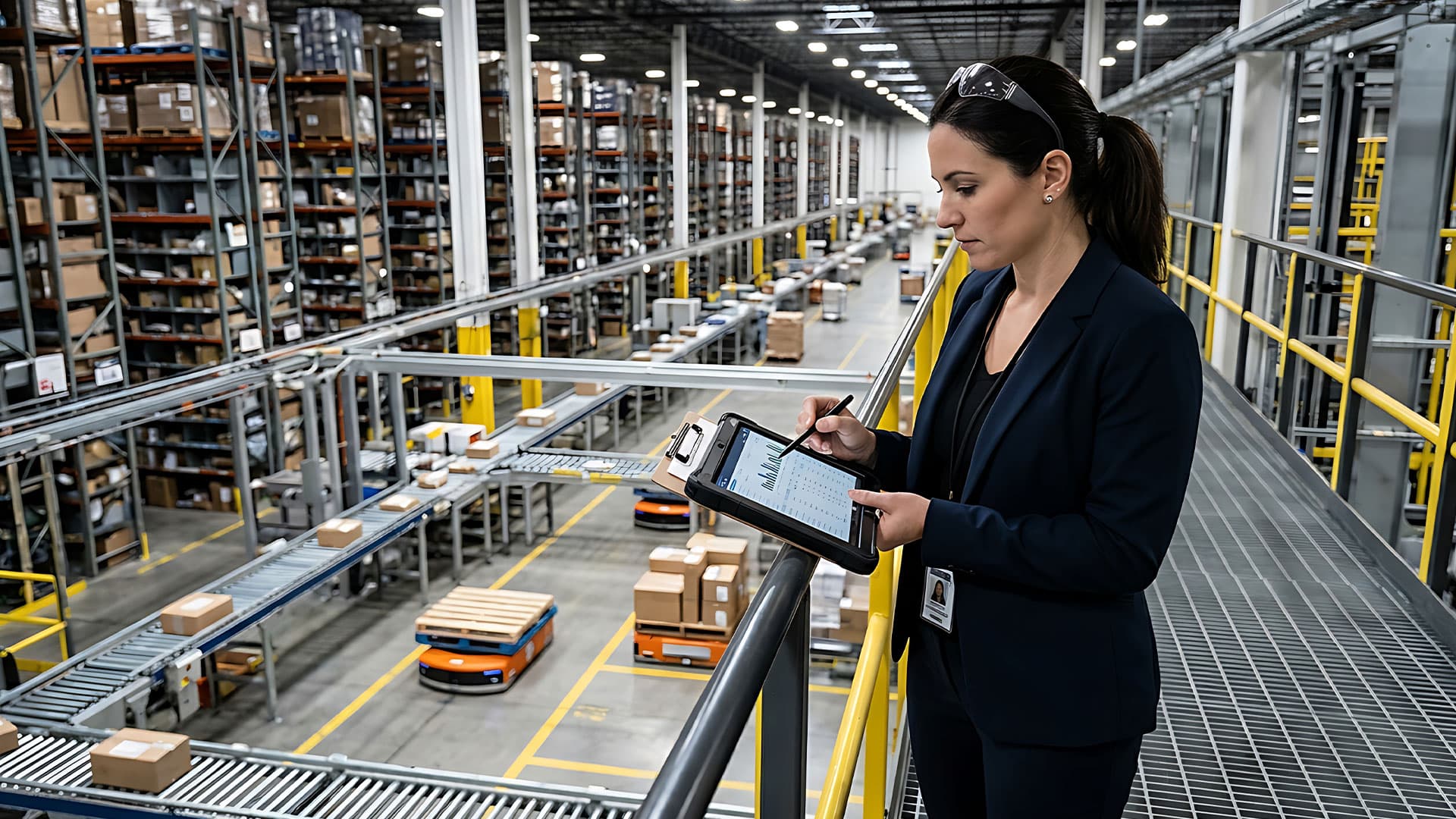
Warehouse operators have spent years automating the outbound side of the building. Picking, packing, sortation, and storage are faster and denser than they used to be, and many facilities now run AS/RS, goods-to-person stations, with a modern WMS that coordinates the whole operation.
All of those systems should run on accurate data about every item in the building. When the recorded dimensions, weights, SKU identifiers, or counts are wrong, the errors do not stay contained. Cases fail to fit the locations the system assigned them, picks come up short, and inventory records and accuracy drift. Each problem pulls a person back in to correct work the automation was supposed to handle.
Most of that data is created during receiving, which in many facilities is still a heavily manual process. That makes the receiving dock the place where master data quality is set. This article looks at how automated receiving builds cleaner master data, and why inbound automation belongs in any comprehensive warehouse automation plan.
What Is Warehouse Master Data and Why Does It Matter?
Master data is the core record of every item a warehouse handles: the SKU, its dimensions and weight, expected quantities, storage locations, product identifiers, and the inventory records built on top of the data. The inventory master inside the WMS holds the weight and dimensions of every SKU and uses them to decide where each item belongs, whether that is shelving, a pick module, or an AS/RS.
This one data set drives slotting, storage optimization, picking, WMS decisions, and shipping accuracy. When it is wrong, the failures show up downstream. A case recorded smaller than it really is, will not fit where the system sends it. A case recorded larger, wastes cube and slots poorly. Either way, the mistake resurfaces later, at putaway, replenishment, or pick time, when it costs more to fix and impacts operations. Poor master data touches nearly every automated system in the building, and it is often noticed too late.
Why Receiving Is the Real Starting Point
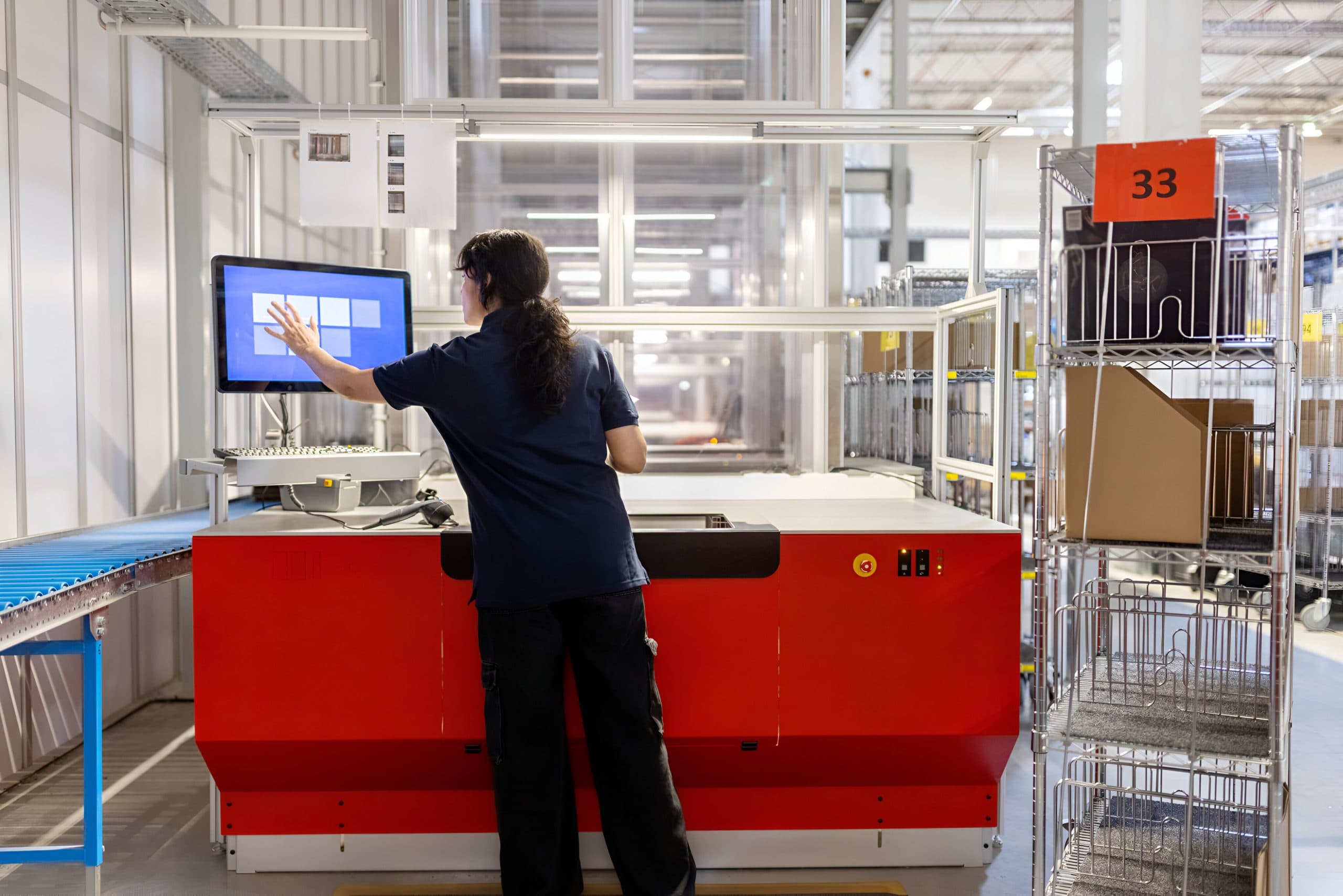
Consider how product actually enters most warehouses. While outbound operations have often received attention and have been automated, receiving is often the most manual job on the floor. It runs on receiving benches where a worker pulls each carton off the truck, turns it to find a barcode, scans two or three labels, and keys the receipt into the ERP or WMS. For instance, one distribution center runs nineteen of those benches, staffed all day.
Manual receiving invites the exact errors master data cannot afford:
missed scans
transposed numbers
wrong dimensions
miscounts
inventory that sits unavailable while it waits to be processed
Inbound also carries a problem outbound does not. On the shipping side, the operation controls its own labeling, so a barcode sits in the same place on every carton and one scanner reads it. Inbound cartons arrive from dozens of vendors with labels anywhere on the box, which is why automated receiving often relies on a scan tunnel that reads every side in a single pass.
How Automated Receiving Enhances Master Data
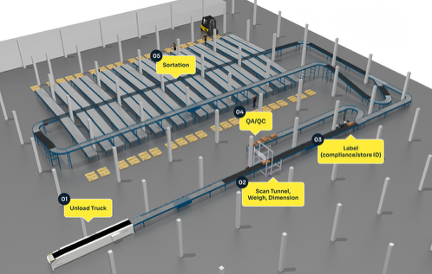
A typical automated receiving system takes cases off the truck, aligns, singulates, and gaps them on conveyor, then runs each one through a scan tunnel that captures the barcode no matter where the vendor placed it. In the same pass, the system measures the case, weighs it in motion, applies the warehouse's own license plate label in a consistent spot, and sorts it to the right destination, whether that is a putaway lane, a decanting station, or a staging area. All of it feeds the WMS directly.
Every case is verified before it enters inventory. Actual dimensions and weights are captured on the fly and tied to the scanned SKU, so the master record reflects the item that arrived rather than a number from a vendor specification sheet. The process also checks itself. If the system cannot identify a case or match the scan to a record, it stops and diverts the case for manual review instead of processing it. Bad data gets caught at the door rather than written into the inventory master.
Better Master Data Creates Better Automation
Clean inbound data pays off across the operation. Slotting improves because storage assignments are based on true case sizes, which protects storage density and prevents the retrieval problems that come from product forced into the wrong location. An AS/RS benefits for the same reason. It depends on correct size, weight, and storage position, and no amount of engineering makes up for bad inputs. This is the clearest case of garbage in, garbage out anywhere in the warehouse.
Inventory accuracy improves too. Because every case is counted as it moves through the system, receiving compares what was expected against what actually arrived. If the purchase order called for 500 units and only 490 came off the truck, the shortage is visible right away, and the system logs only what was received.
Real-Time Data Creates Continuous Improvement
Automated receiving does more than preserve the master data you already have. Every receipt is a fresh measurement, and the data gets stronger over time. Dimensions and weights vary slightly from scan to scan, so over repeated receipts the system can set a normal range for each SKU. A case that falls outside that range can be quarantined and inspected instead of slotted on bad data.
The same capability catches supplier changes as they happen. Vendors alter packaging more often than most operations realize. An auto parts distributor may find the same SKU arriving in a different carton depending on where the vendor sourced it, or case quantities jumping from 50 to 100 with no notice. Automated receiving flags oversized cartons, underfilled cases, and packaging changes on arrival, so the team can adjust before the change breaks slotting and storage downstream.
The Hidden Financial Benefits
The financial case runs past labor savings. Product sitting on the receiving floor cannot be sold. It is not active in the online storefront, it cannot be allocated to orders, and the accounting behind it cannot be reconciled. Automated receiving moves product into inventory almost immediately, which means faster revenue, quicker order fulfillment, and lower carrying costs. Shorten that window across an entire inventory and the gain adds up.
There is a vendor accountability benefit as well. Every receipt is documented with counts, weights, and dimensions, so shortages, overages, and packaging changes come with objective evidence. When a vendor ships 490 units against an order of 500, the operation can pursue a credit and pay only for what arrived. Over time that record becomes measurable vendor performance data that sharpens purchasing decisions.
Why Inbound Automation Is Becoming the Next Frontier
Warehouse automation has concentrated on the outbound side for years, on picking, packing, and shipping, because that is where the customer promise lives. As those bottlenecks were solved, the constraint did not disappear. It moved upstream to receiving. Every time one bottleneck is automated, the next manual process becomes the new limit, and increasingly that limit is the dock.
The pattern is easy to see in practice. Facilities build fast, automated storage and fulfillment engines, then feed them with box cutters and pack benches. The same technology already trusted on outbound, scanning, weighing, dimensioning, labeling, and sortation, runs just as well in reverse on inbound. Receiving is arguably the part of the warehouse that should have been automated first.
What to Evaluate Before Your Next Automation Project
It helps to treat master data as something the warehouse creates and verifies at the receiving dock, then maintains in the WMS from there. Automating receiving improves the data at its source, which flows through to better slotting, more accurate inventory, stronger AS/RS performance, and product that becomes available to sell sooner. Those gains compound with every downstream system already in place.
If you are planning an AS/RS, shuttle system, goods-to-person solution, or WMS upgrade, look at the receiving process as part of the same project. Downstream automation performs only as well as the data it is fed, and that data starts at the dock.
To learn more on how to get started with inbound automation and receiving practices, connect with MHI's SLAM industry group and related MHI educational resources.
Frequently Asked Questions
How do you justify the ROI of an automated receiving system?
Start with the labor tied up in truck unloading and receiving benches, then add the time it takes to capture received items into inventory. Product cannot be sold, allocated, or reconciled until it is received, so every hour it sits on the floor is selling time lost. This results in more cash tied up and higher inventory levels. Faster, more accurate receiving shrinks that gap across the entire inventory while reducing labor, inventory, cash use, and downstream error corrections and their impact.
How does automated receiving enhance master data?
It captures real-time dimensions and weights of every SKU entering the warehouse, using in-motion dimensioning and weighing, and ties those actuals to the product identifier scanned on the case. The master record is refreshed with verified physical data on every receipt instead of relying on vendor-supplied specifications.
Why is inbound automation an important trend in warehousing?
It directly affects the outbound processes most operations have already automated. As picking, packing, and shipping bottlenecks are solved, the constraint moves upstream to receiving, which in many facilities is still entirely manual. Automating inbound keeps the rest of the automated warehouse fed and protects the data those systems depend on.
What is warehouse master data?
Master data is the core record for every item a warehouse handles, including SKU identifiers, case dimensions, weights, quantities, and storage locations. The WMS uses it to make slotting, storage, picking, and shipping decisions, so its accuracy determines how well nearly every automated system performs.
How do scan tunnels improve receiving?
Inbound cartons arrive from many vendors with barcodes in unpredictable places, so a scan tunnel reads all sides of the case in a single pass. It identifies the product regardless of label placement, and once the warehouse applies its own label in a consistent spot, downstream operations only need a single scanner at each touch point.
How does automated receiving improve vendor accountability?
Every receipt is documented with verified counts, weights, and dimensions, creating objective evidence of shortages, overages, and packaging changes. That record supports vendor chargebacks and credits, ensures you pay only for what actually arrived, and builds measurable vendor performance history for purchasing. It enables easily accessible data for real-time visibility and reporting on vendors and trends.
If automation captures the data, how do I know it is accurate?
An automated receiving system will not keep processing a case it cannot identify. If a scan does not match a record in the software, the case is diverted for manual review rather than logged with the wrong data. That built-in discipline keeps unverified information out of the inventory master.
Contributor: Alex Kinkade, StreamTech Engineering
Reviewed by SLAM WARP Committee
View more blogs by:
Related Content
BLOG
Why WARP Matters in Warehouse Receiving

BLOG
The Receiving Problem That Starts Before the Truck Arrives: Supplier Integration and Inbound Receiving
BLOG
Better Data Equals Better Labeling and Tagging

BLOG


